
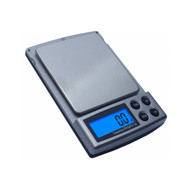
How to Merchandise Pocket Scales for Better Sell-Through
Published by AWS Team on 26th Oct 2026
A customer looking at a wall of pocket scales may see similar shapes and different numbers without knowing which model to choose. When the differences are unclear, the purchase can stall.
Better merchandising starts by answering the shopper’s questions: How much can it weigh? What increment does it display? Will it fit the items I want to weigh?
Retailers can make pocket scales easier to shop by grouping models by customer need, displaying consistent specifications, and placing compatible accessories nearby. A clear presentation helps customers compare options and gives staff a better starting point for recommendations.
What Helps Pocket Scales Sell?
| Merchandising Element | What It Helps Customers Understand |
|---|---|
| Clear capacity | The maximum load the scale can handle |
| Readability | The smallest increment shown on the display |
| Model comparison | Why one scale differs from another |
| Platform dimensions | Whether an item can sit comfortably on the scale |
| Included accessories | What comes in the package |
| Calibration information | Whether a separate weight may be needed |
| Visible use cases | Which model may suit the customer’s task |
| Staff guidance | How to select a model for the intended load |
Start by reviewing the products in the American Weigh Scales pocket scale collection and identifying the differences most relevant to your customers. awscales.com
1. Group Pocket Scales by Customer Need
A display organized only by model name asks customers to do all the comparison work themselves.
Instead, create groups around distinct needs, such as:
- Compact scales for lighter items.
- Higher-capacity pocket scales.
- Models with protective covers.
- Fine-readability scales.
- Scales with particular verified features or accessories.
Keep the descriptions straightforward. A customer should be able to understand why a product belongs in a group.
Use Capacity as a Starting Point
Capacity is the maximum load the scale can handle.
A customer weighing small jewelry components may not need the same capacity as someone weighing a larger hobby item. Ask about the total load, including any container or tray.
NIST’s weighing and scales FAQs explain why expected loads and intended use matter when selecting equipment. www.nist.gov
2. Explain Readability Clearly
Readability is the smallest increment shown on the display.
For example:
- 220 g × 0.01 g: A 220 g maximum capacity and a displayed increment of 0.01 g.
- 600 g × 0.1 g: A 600 g maximum capacity and a displayed increment of 0.1 g.
Place both numbers together on the shelf label. Showing only the capacity can make it difficult to compare two models meaningfully.
Avoid Promising Accuracy from the Display Increment
A smaller displayed increment does not, by itself, guarantee accuracy to that amount.
Accuracy depends on the product’s specifications and conditions of use. Staff should direct customers to the specific model’s information rather than making a blanket promise.
3. Put Contrasting Models Side by Side
A side-by-side comparison can show customers why two pocket scales serve different needs.
For example:
The AWS-220 listing also identifies grams, ounces, carats, and grains among its units. Confirm current specifications and availability before updating a display. awscales.com
The goal is to make the choice understandable, not to suggest that one model is universally better.
4. Use Consistent Shelf Labels
Create shelf labels using the same fields in the same order.
A useful format includes:
- Model name
- Maximum capacity
- Readability
- Measurement units
- Platform size
- Key verified feature
- Retail price
- Included accessories, where space allows
For example:
AWS-220 Pocket Scale
Capacity: 220 g
Readability: 0.01 g
Units: g, oz, ct, gn
Check the package for included accessories.
A consistent format helps shoppers compare models without searching for specifications in different places.
5. Explain the Full Load to Customers
Customers may select a scale based on the material they want to weigh and forget the container.
For example, someone weighing 400 g of material in a 150 g container places a total of 550 g on the platform.
The tare function can remove the container’s displayed weight, but it does not increase the scale’s capacity.
A short shelf note can help:
Remember: The item and its container both count toward the scale’s maximum capacity.
6. Demonstrate Features Customers Will Actually Use
A live demonstration can make features more understandable than a list on the box.
Depending on the verified model functions, show customers how to:
- Place the scale on a stable surface.
- Turn it on and wait for a stable display.
- Select an available unit.
- Place a suitable container on the platform.
- Use tare according to the instructions.
- Add an item without exceeding capacity.
Keep a product manual nearby and follow the specific model’s instructions.
American Weigh Scales provides product manuals for many of its scales. awscales.com
Keep Demonstration Claims Accurate
Show what the scale does without promising a level of accuracy or certification that has not been verified.
If a customer needs a device for a regulated commercial transaction, confirm the specific requirements before making a recommendation.
7. Display Calibration Weights with Clear Compatibility Information
A customer who understands calibration requirements before purchase is better prepared to use the scale.
Near relevant models, explain:
- Whether user calibration is supported.
- Which weight the manual specifies.
- Whether the weight is included.
- Whether a compatible weight is sold separately.
Do not assume one calibration weight works for every scale.
The American Weigh Scales product FAQ discusses calibration and directs users to model-specific guidance. awscales.com
8. Merchandise Accessories Where They Are Easy to Find
A pocket scale display can also include relevant accessories, provided compatibility is clear.
Depending on the models and customer needs, consider:
- Calibration weights.
- Weighing trays.
- Protective pouches.
- Replacement batteries.
- Suitable small storage containers.
Separate included accessories from optional purchases on shelf cards and online listings.
A customer should not have to open the box to understand what comes with the scale.
9. Show Platform Size, Not Just Capacity
A scale may have enough capacity for an item but still have a platform that is awkward for its shape.
Where possible, provide platform dimensions on the shelf label or product page. A display model can also help customers judge the size.
For example, the CARDV2-200 compact pocket scale has a listed compact form factor. Confirm the current dimensions and specifications before preparing signage. awscales.com
If a container is used, remind customers to account for its weight and make sure it can sit securely on the platform.
10. Create Online Listings That Answer the Same Questions
Customers shopping online cannot handle the scale before purchasing. Product pages should make the key details easy to find.
Include:
- Capacity and readability.
- Available units.
- Platform and overall dimensions.
- Power requirements.
- Included accessories.
- Calibration requirements.
- Verified product features.
- Warranty information.
- Clear product photographs.
A concise comparison table can help customers distinguish similar models.
American Weigh Scales’ pocket scale collection can serve as a starting point for reviewing current product information. Confirm details for each model before publishing your own listing.
11. Organize Displays Around Common Customer Questions
Your staff can collect useful merchandising insights simply by noting what shoppers ask.
Common questions may include:
- “Will this hold the item I want to weigh?”
- “What is the difference between 0.01 g and 0.1 g?”
- “Do I need a calibration weight?”
- “Are batteries included?”
- “Can I carry it in my bag?”
- “Can I use it to sell products by weight?”
Turn repeated questions into concise shelf information or a product-page FAQ.
12. Handle Legal-for-Trade Questions Carefully
A customer may want to use a scale to determine price or quantity in a commercial transaction.
Do not assume that a pocket scale is approved for that use.
NIST explains that commercial weighing devices must meet applicable state requirements and may need inspection and approval before use. www.nist.gov
The NIST National Type Evaluation Program overview provides background on type evaluation. Verify the specific model and direct customers to the relevant state or local authority for their intended use. www.nist.gov
13. Use Accessories to Explain Value—Without Overloading the Display
A clean display should make the choice easier.
Show a few relevant accessories beside the scales and explain what they do. For example, a calibration weight can be accompanied by a note to check the model’s manual for the required weight.
Avoid placing every accessory beside every model. Too many unrelated items can make compatibility harder to understand.
For a broader precision category, the American Weigh Scales milligram scale collection shows examples with finer displayed increments. Confirm each model’s capacity and availability before merchandising it. awscales.com
14. Monitor Sell-Through and Customer Feedback
After updating the display, review whether the changes helped customers choose.
Track:
- Units sold by model.
- Questions asked before purchase.
- Which models customers compare.
- Accessory sales.
- Return reasons.
- Requests for capacities or features you do not carry.
A slow-selling product may need clearer information, a different location, or reconsideration as part of the assortment.
Use the results to guide reorders instead of relying on appearance alone.
15. Ask Your Supplier for Retail Support
Before preparing a new display or placing a larger order, ask about:
- Current wholesale pricing.
- Product availability.
- Retail-ready images.
- Accurate specifications.
- Manuals and support materials.
- Included accessories.
- Warranty and return procedures.
- Mixed-model order options.
The American Weigh Scales dealer application is a starting point for discussing current dealer requirements and opportunities. awscales.com
Common Merchandising Mistakes
Listing Capacity Without Readability
Show both specifications together.
Using Different Information on Every Shelf Card
Consistent fields make comparisons easier.
Assuming Calibration Weights Are Included
Verify the package contents and model requirements.
Showing Accessories Without Compatibility Information
Explain which products they support.
Recommending a Scale Without Asking About the Load
Include both the item and any container.
Making Unverified Commercial-Use Claims
Check the specific model and applicable requirements.
Filling the Shelf with Similar Models
Give every scale a clear role in the assortment.
Frequently Asked Questions
How can retailers improve pocket scale sell-through?
Make specifications easy to compare, explain the differences between models, and answer common questions before purchase.
What should a pocket scale shelf label include?
Include capacity, readability, units, platform size, key verified features, and price. State important included accessories where possible.
Should retailers display calibration weights nearby?
They can be useful alongside relevant models. Clearly identify compatibility and whether a weight is included or sold separately.
Is a 0.01 g scale always more accurate than a 0.1 g scale?
Readability alone does not establish accuracy. Compare the specific models’ performance specifications and intended uses.
Should customers include container weight when choosing capacity?
Yes. The full load on the platform must remain within the scale’s maximum capacity.
Can every pocket scale be used for selling products by weight?
Do not assume so. Verify model-specific approvals and the requirements for the customer’s jurisdiction and intended use.
How should retailers decide which models to reorder?
Review sales, customer questions, returns, and requests for capacities or features that are not currently represented.
Give Customers a Clear Reason to Choose
Pocket scales sell more effectively when shoppers can understand the differences between them. Clear capacity and readability information, relevant accessories, and knowledgeable staff turn a confusing shelf into an easier buying decision.
For current product information or wholesale questions, contact American Weigh Scales with the models and quantities you are considering.